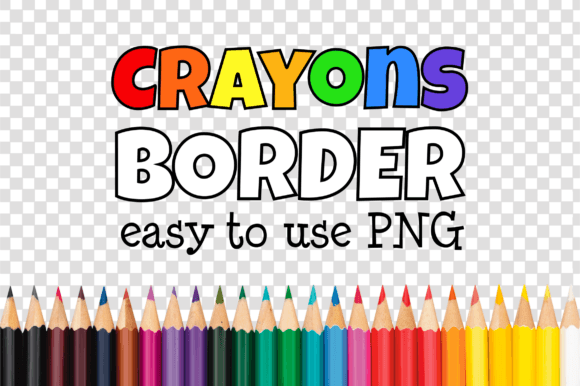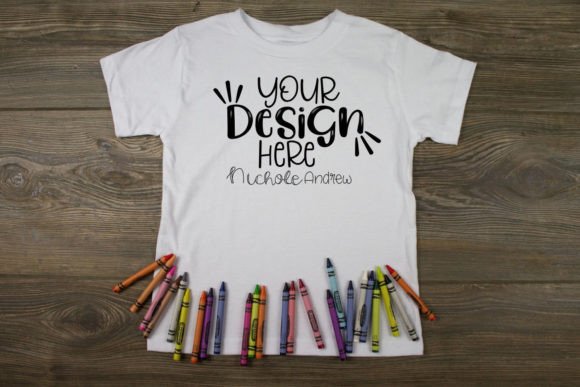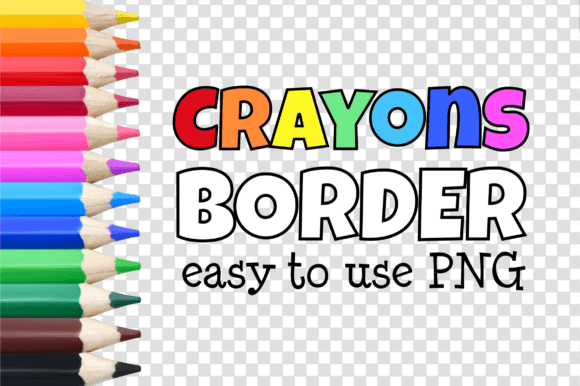
Crayons Art Craft Mockup Border Frames
Whether you're designing a printable for your classroom, prepping a new product listing for Etsy, or building a cohesive brand look for your small business — clean, professional presentation matters. That’s where Crayons Art Craft Mockup Border Frames step in: thoughtfully designed, ready-to-use PNG borders that bring polish and personality to your creative work — without requiring Photoshop or design expertise.
What Makes These Borders Different?
Unlike generic clipart or overused stock frames, the Arts Craft BORDER 16A series is built specifically for crafters, educators, and digital creators who value both aesthetics and practicality. Each frame features hand-drawn crayon-style textures, soft edges, and intentional imperfections — giving your projects warmth and authenticity while staying crisp at scale.
Every file is delivered as a single high-resolution PNG with a transparent background (approx. 2000 × 3000 px), so it layers seamlessly over photos, illustrations, or solid-color backgrounds. No clipping masks. No layer adjustments. Just drag, drop, and go.
Why Transparency + Simplicity Wins
Transparency isn’t just a technical detail — it’s what unlocks flexibility. You can place a Crayons Art Craft Mockup Border Frame over a watercolor sketch, a flat-lay photo of handmade soap, or even a student’s handwritten worksheet — and it’ll adapt instantly. There’s no white box to crop out, no mismatched shadows to fix, and no color correction needed.
This simplicity saves time, especially when you’re juggling multiple projects: batch-creating back-to-school printables, updating social media banners weekly, or preparing a series of book covers for self-publishing. With these borders, consistency doesn’t mean monotony — it means recognizable visual language across your work.
Real-World Uses You’ll Reach For Again and Again
- Educators: Use them to frame lesson plans, flashcards, vocabulary posters, or digital worksheets — instantly elevating materials students actually want to engage with.
- Craft Sellers: Showcase handmade journals, embroidery kits, or resin coasters on mockups that feel tactile and inviting — not sterile or overly digital.
- Bloggers & Content Creators: Add subtle framing to Pinterest pins, Instagram carousels, or email headers without distracting from your message.
- Self-Publishers: Build custom book covers for children’s activity books, coloring guides, or teacher resource manuals — all while keeping production lightweight and affordable.
- Hobbyists: Personalize greeting cards, memory keepsakes, or family recipe collections with a cohesive, handcrafted vibe.
How It Fits Into Your Workflow (Without Disrupting It)
You don’t need to overhaul your tools or learn new software. These borders work natively in Canva, Google Slides, PowerPoint, Affinity Designer, Figma, and even basic photo editors like Preview or Paint.NET. Because they’re PNGs — not layered PSDs — there’s no learning curve, no plugin required, and no risk of accidentally flattening or misaligning layers.
That also means faster iteration. Try three different borders on the same layout in under two minutes. Swap one out for a seasonal variation (think pastel borders for spring, warm tones for fall) without reformatting anything else. This responsiveness supports experimentation — and better outcomes.
A Note on Brand Alignment
Consistent framing builds recognition — especially when your audience sees your work across platforms. A Crayons Art Craft Mockup Border Frame used across your Etsy shop banner, printable product thumbnails, and Instagram story highlights creates subconscious continuity. It signals care, intention, and attention to detail — qualities customers associate with trusted creators.
And because each border retains its organic texture at any size, scaling up for a large-format poster or down for a mobile thumbnail won’t sacrifice clarity or charm.
What to Keep in Mind When Using Them
While these borders are incredibly versatile, a few practical considerations help maximize impact:
- Contrast matters: Pair light-colored borders with darker content backgrounds (or vice versa) to ensure readability — especially for text-heavy layouts like teaching materials.
- Don’t overcrowd: Let the border support your content, not compete with it. If your image already has strong texture or pattern, opt for a simpler border variant.
- Check resolution context: At 2000 × 3000 px, these files hold up beautifully for web and print-ready use — but avoid stretching beyond 150% in pixel-based editors to preserve edge integrity.
- Fonts are separate — and that’s intentional: Since typography choices depend heavily on voice and audience, fonts aren’t included. That gives you full control to match your brand’s tone — whether playful, scholarly, minimalist, or whimsical.
Who Benefits Most — and Why
If you regularly create visual assets but don’t identify as a “designer,” Crayons Art Craft Mockup Border Frames remove friction without compromising quality. Freelancers pitching to schools or small businesses appreciate having polished, on-brand deliverables ready in minutes. Educators building curriculum resources gain efficiency without sacrificing warmth. Entrepreneurs launching craft-based products get professional-looking listings — fast — without outsourcing design.
It’s not about replacing skill. It’s about respecting your time, honoring your craft, and letting your ideas — not your technical setup — take center stage.
Final Thought: Tools Should Serve, Not Slow You Down
Digital tools should amplify creativity, not gatekeep it. Crayons Art Craft Mockup Border Frames do exactly that — offering thoughtful design, reliable performance, and inclusive usability. They’re made for people who make things: teachers shaping young minds, makers turning ideas into objects, writers bringing stories to life, and entrepreneurs building something meaningful — one thoughtful detail at a time.
Happy crafting ☘️